


Spichat - Video Chat&Call
4.662.00 Reviews
App Specs
- Version
- 1.3.6
- Updated On
- License
- Free
- Downloads
- 1,000,000+
- Developer
- Glam Me Team
- Categories
- Social
- Platform
- Android
Screenshots




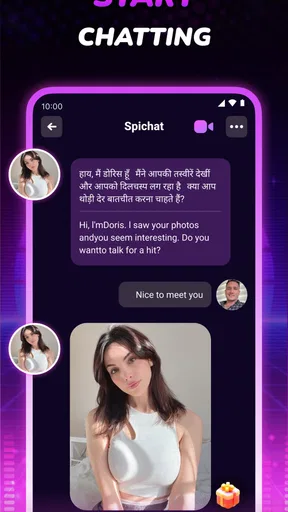
 Analysis by AppCompare
I approached Spichat as a social app for spontaneous face-to-face conversations rather than as another text-based community. Its main appeal is simple: you can meet people from different places through live video and get a more immediate sense of personality, language, and culture than a profile or message thread usually provides. That makes it interesting for curious travelers, language learners, and anyone who enjoys short conversations with strangers.
My overall impression is positive, but this is not the kind of app I would recommend without a little preparation. Live video depends heavily on your connection, surroundings, and willingness to handle unpredictable interactions. The app is free to install, while optional purchases range from $0.99 to $99.99 per item, so I would explore the basic experience first rather than spending immediately. It is also marked Mature 17+, which fits the open-ended nature of meeting unknown people online.
What the live video experience feels like
The biggest difference between Spichat and ordinary social apps is the amount of commitment involved in each interaction. A message can be ignored or answered later; a video call asks you to be present right away. In my experience, that immediacy can make a short exchange feel more genuine, especially when both people are interested in sharing where they live or how they spend their day.
The app is developed by Glam Me Team and sits firmly in the social category. Its focus is not on building a carefully edited public identity. Instead, the value comes from the possibility of a direct conversation. That makes the first few minutes important: a clear camera view, decent lighting, and a quiet place can change how comfortable the interaction feels.
I would not treat every conversation as a promise of friendship. Some calls will be brief, awkward, or simply uninteresting. That is normal for a service built around meeting unfamiliar people. The strength is the variety, while the trade-off is that the experience is less predictable than a moderated interest group or a messaging app where you can read someone’s profile first.
One useful way to approach it is to set a small goal before opening the app. I might decide to have two short conversations, practice a few phrases in another language, or ask people about a local custom. That keeps the experience from becoming an endless sequence of random calls and gives each interaction a purpose.
Speed depends on more than the app itself
Video chat always creates higher expectations for responsiveness than text. When the connection is good, a conversation feels immediate and natural. When the network is busy or unstable, delays become much more noticeable because pauses can be mistaken for disinterest. I would therefore judge Spichat’s perceived speed together with the quality of the network and the performance of the phone being used.
Worth Reading Before You Choose

EA SPORTS FC Mobile 26 Is a Bigger Football Game, but It Takes Time

Flipboard Shows What News Apps Must Do Beyond the Feed

Switching to Android Auto Means Rethinking Your Driving Routine

Google Calendar Makes a Crowded Week Easier to Manage

Ludo King Makes the Most of the Minutes Between Plans

Baby Panda World Brings Quick Play to Modern Phones, but Its Game Library Feels Busy
For the smoothest start, I would close demanding apps, use a reliable Wi-Fi connection when possible, and avoid beginning a call while moving between weak mobile signal areas. These are simple steps, but they matter more for live video than they do for browsing a social feed. If the first call feels slow, I would test the same setup again before deciding that the app is always sluggish.
There is also a human side to speed. A quick connection does not guarantee a good conversation. Someone may need time to understand your accent, adjust their camera, or decide what to talk about. I prefer allowing a few seconds for the exchange to settle instead of ending a call immediately because the opening feels slightly awkward.
How it handles busy, longer sessions
Short calls are likely to be the easiest way to use the app. Longer sessions place more demands on the phone, the connection, and the user’s attention. If I planned to stay online for an extended period, I would keep the device charged, remove a thick case if it traps heat, and avoid using the phone in direct sunlight. Those habits are especially sensible when the camera remains active for a while.
Heavy use can also mean moving rapidly from one conversation to another. That workflow may feel energetic, but it can become tiring and repetitive. I found it more useful to pause occasionally, note a topic that worked well, and return with a clearer idea of what I wanted to ask. This is a less obvious advantage of treating the app as a conversation tool rather than as background entertainment.
Another practical point is privacy during busy periods. A crowded room, public transport, or a shared workplace may expose other people or private details in the camera frame. I would choose a neutral background and check what is visible before starting. That improves comfort for both sides and avoids turning a casual call into an accidental broadcast of personal information.
If the phone begins to feel warm or the battery drops faster than expected, I would take that as a signal to shorten the session. Live video naturally asks more from a device than text chat. The important question is not whether the app can be left open all evening, but whether it remains comfortable and dependable during the length of conversation you actually need.
Reliability and recovering from interruptions
Reliability in a video-chat app has several parts: opening the service, finding a conversation, maintaining the call, and recovering when something goes wrong. I would not reduce that judgment to connection speed alone. A brief interruption is much less frustrating if returning to the conversation is straightforward, while a small problem becomes serious if it forces a complete restart every time.
When a call breaks up, my first step would be to check whether the issue affects other internet services. If browsing and streaming are also struggling, changing networks is more useful than repeatedly reopening Spichat. If everything else works normally, closing and relaunching the app is a reasonable next step. This simple troubleshooting order prevents wasted time and helps distinguish a local network problem from an app problem.
I also recommend keeping expectations realistic when switching between mobile data and Wi-Fi. Changing networks during a call can interrupt the session, even when both connections appear usable. If a conversation matters, I would finish it before moving locations rather than trying to maintain the call through a signal change.
The social recovery process matters too. Not every dropped call deserves a second attempt, and not every unexpected interaction should be continued. If the other person reconnects and the conversation remains comfortable, carrying on is easy. If the exchange feels inappropriate or pressured, ending it is the better choice. The ability to leave an interaction is more important than preserving every connection.
Because the app connects strangers, I would also use the reporting and blocking controls whenever an interaction crosses a personal boundary, if those controls are available in the current interface. I would not share a phone number, home address, workplace details, or private account information with someone I have just met. The mature age classification is a reminder that this is not a child-focused environment.
Device limits and choosing the right setup
Spichat supports devices running Android 7.0 or later, which gives it a broad reach across older Android phones as well as newer models. That does not mean every compatible device will deliver the same video experience. A phone may meet the operating-system requirement while still having a modest camera, limited battery capacity, or little free storage for comfortable everyday use.
On an older phone, I would keep the session short at first and pay attention to heat, battery drain, and whether switching away from the app causes the call to recover cleanly. These observations are more useful than assuming that compatibility guarantees identical performance across all hardware. A newer device with a stable connection is naturally the safer choice for frequent video conversations.
Camera placement also affects the experience. A phone held at an awkward angle can make a conversation feel uncomfortable even if the video is technically clear. I prefer placing the device at eye level and using a light source in front of me rather than behind me. That small adjustment makes facial expressions easier to read and reduces the need to keep repositioning the phone.
For audio, headphones can help in a noisy room, but they are not always necessary. I would test them before a longer session because an uncomfortable headset can be more distracting than ordinary speaker audio. If the other person struggles to hear me, moving closer to the phone or finding a quieter space may solve the problem faster than changing several settings at once.
The app is free, but the presence of in-app purchases means I would pay attention to any optional spending during use. The listed purchase range extends from $0.99 to $99.99 per item, so the difference between a casual trial and an expensive impulse purchase can be significant. I would decide in advance whether I am willing to spend anything and keep that decision separate from the excitement of meeting someone interesting.
Who will get the most from Spichat
This app suits people who enjoy direct social contact and can tolerate uncertainty. Language learners may find it useful for practicing listening and spontaneous replies, particularly when they prepare a few simple questions before starting. Travelers can use conversations to hear personal perspectives that are different from guidebook advice, although they should remember that one person’s experience does not represent an entire country or culture.
It can also work for someone who has a quiet evening and wants a small amount of human interaction without committing to a large online group. A realistic scenario would be a student taking a break after studying, joining for a short session, and asking each person about a favorite local meal or weekend habit. The conversation may last only a few minutes, but it can still feel more memorable than scrolling through posts.
I would be more cautious about recommending it to people who dislike being seen on camera, need carefully moderated communities, or want conversations organized around specific hobbies. A forum, group chat, or interest-based social network may be a better fit in those cases. Those alternatives usually offer more control over the subject, pace, and identity of the people you meet.
It is also not ideal if your main goal is private communication with people you already know. A messenger or traditional calling service will normally be more predictable for family, colleagues, and established friends. Spichat’s reason to exist is discovery, not replacing every familiar communication tool.
How it compares with ordinary social alternatives
Compared with text-first social networks, Spichat removes much of the time spent polishing a profile or composing the perfect message. That can make interactions feel more spontaneous, but it also removes some of the safety and control that come from learning about a person before speaking with them. I see it as a complement to messaging rather than a universal replacement.
Compared with random text chat, face-to-face video gives more context through voice, expression, and timing. That can make cultural exchange richer, yet it also requires more confidence and a suitable environment. Someone who wants to practice writing may gain more from a language-exchange platform with corrections and saved messages.
Compared with structured video communities, the open format is both the attraction and the weakness. You can encounter unexpected viewpoints, but you may have fewer guarantees that each conversation will match your interests. I would choose Spichat for variety and immediacy, not for a carefully filtered social schedule.
The app has attracted over a million installs and holds a 4.6 average from around twenty-six thousand ratings, which suggests that many users find the basic idea appealing. I still would not use popularity as a substitute for personal fit. A person who enjoys live discovery may love it, while someone who values predictable groups may find the same openness frustrating.
My practical routine for a better first session
I would begin by checking the camera frame, microphone, background, and network before joining a conversation. I would then set a time limit and prepare two or three neutral questions. Good prompts include asking about a local food, a common weekend activity, or a place the person would recommend to a visitor. These questions are specific enough to start a conversation without demanding private information.
During the call, I would avoid treating silence as failure. A short pause can give both people time to think, especially when language skills differ. If the exchange remains uncomfortable after a fair attempt, ending politely is better than forcing it. The goal is not to collect the maximum number of calls; it is to find conversations that feel respectful and worthwhile.
Afterward, I would make a quick note of what worked. Maybe one topic produced better answers, or perhaps the room was too noisy. This turns repeated use into a small learning process. It is an especially useful approach for language practice because it helps identify words and situations that need attention next time.
I would also keep personal boundaries consistent. I would not move a conversation to another service simply because someone asks quickly, and I would be skeptical of requests for money, private images, or urgent favors. Live video can create a false sense of familiarity, so I would judge behavior over time rather than assuming that a friendly call equals trust.
My verdict after weighing the trade-offs
Spichat is an appealing social app for people who want immediate, face-to-face encounters with people from different backgrounds. Its strongest quality is the feeling of discovery: a short call can introduce a voice, viewpoint, or custom that would be easy to miss in a conventional feed. The experience is at its best when I use it intentionally, with a stable connection and realistic expectations.
Its limitations are equally clear. Video requires more from the phone and network than text, conversations can be uneven, and the open nature of meeting strangers demands sensible boundaries. Optional purchases also make it worth checking what I am selecting before confirming anything. These are not reasons to dismiss the app, but they are reasons to use it thoughtfully.
The current version is 1.3.6, and the app was released on January 31, 2024. I would recommend trying the free experience first on a device that meets the Android 7.0 requirement, preferably during a time when I can give each conversation my full attention. If I wanted a controlled hobby group, private calls, or detailed language-study tools, I would choose another type of service. If I wanted spontaneous video contact and a chance to explore perspectives beyond my usual circle, Spichat is worth trying.
My final recommendation is therefore selective but genuine: use it as a short, purposeful social activity rather than an endless background feed. With good lighting, a reliable connection, clear boundaries, and a willingness to accept a few imperfect conversations, it can deliver the kind of direct human exchange that ordinary scrolling rarely provides.
Pros
- Simple interface makes starting video calls quick and easy.
- Supports spontaneous conversations with people from different countries.
- Video calling feels more personal than text-based social apps.
- Useful for practicing languages through live conversations.
- Discovery features can help users meet people outside their usual circle.
Cons
- Meeting strangers may expose users to inappropriate or unwanted behavior.
- Privacy settings should be checked carefully before using video features.
- The quality of matches can vary significantly between sessions.
- A stable internet connection is needed for smooth video calls.
- Some features or interactions may be limited by in-app purchases.
FAQs for Spichat - Video Chat&Call
What is Spichat - Video Chat&Call, and how does it work?
Spichat - Video Chat&Call is a social communication app designed for meeting people through video calls, voice conversations, and text-based interactions. After creating a profile, users can browse available contacts or suggested matches and start conversations. The experience may include discovery, messaging, and live calling features, depending on the user’s location, account status, and the options currently offered by the app.
Is Spichat - Video Chat&Call free to download and use?
The app can generally be downloaded without an upfront purchase, but that does not necessarily mean every feature is free. Some communication tools, virtual items, premium visibility options, or extended calling functions may require in-app purchases or a subscription. Before using paid features, check the pricing shown in the app store and review the purchase screen carefully, especially if the app uses credits or recurring billing.
Do I need to create an account to use Spichat?
Most social video-chat applications require users to register before they can access their main communication features. Spichat may ask for information such as a phone number, email address, username, profile photo, or date of birth. Providing accurate details can improve the matching experience, but you should avoid sharing sensitive personal information publicly and review the app’s privacy settings before beginning conversations.
Is Spichat - Video Chat&Call safe for meeting strangers online?
As with any app that connects you with unfamiliar people, safety depends on using the available privacy and reporting tools responsibly. Avoid sharing your address, financial information, passwords, verification codes, or private images. Keep conversations inside the app until trust has been established, block suspicious users, and report harassment, scams, or inappropriate behavior. Parents should also consider whether the app is suitable for younger users.
Can I delete my Spichat account and control my privacy?
You should be able to manage important account and privacy options through the app’s settings, although the exact menu names may vary between Android and iOS versions. Look for controls related to profile visibility, notifications, permissions, blocked users, and account deletion. Removing the app from your phone does not always delete your profile or personal data, so use the official account-deletion option or contact support when necessary.


